Antminer/Whatsminer PSU Wake-up/Startup Tester Manual
By THANOSMINING
May 11th, 2025
Function DescriptionThe Shenma and Antminer PSU test rack can wake up the following power supplies:Whatsminer P20, P21, P21D, P21E, P221C, P222C power suppliesAntminer APW8, APW9, APW12 series power supplies
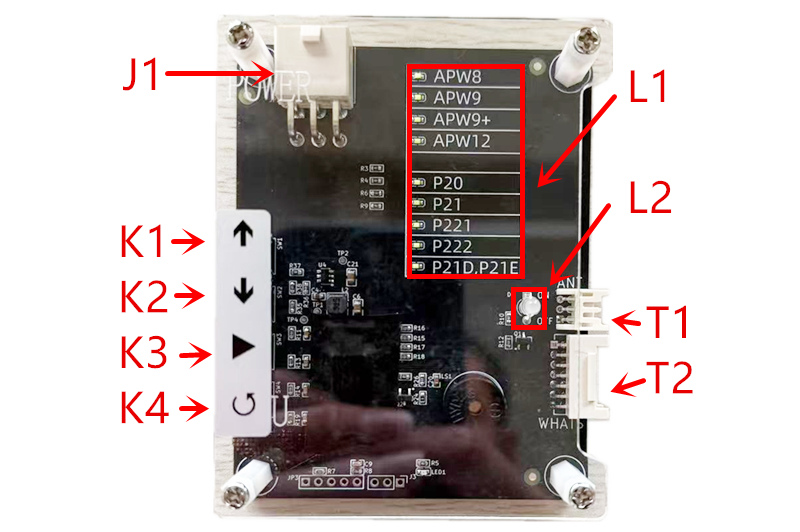
Device interface and button layout description:
J1: Power input port (DC12V/6pin)
L1: PSU model indicator
L2: PSU status indicator
T1: Antminer PSU signal connector (4pin)
T2: Whatsminer PSU signal connector (14pin)
K1: Up to select PSU model
K2: Down to select PSU model
K3: Turn on/off PSU
K4: Device self-test
Instructions for use:
1. After the power supply test stand is powered on, press the "K2" button, select the power supply model,
and then connect the power supply to be tested. Press the "K3" button to wake up/turn on the power supply.
At this time, you can measure whether the PSU output is normal.
2. After pressing the "K3" button, the PSU status indicator will turn green. Green means the power is on, and red means the power is off.
3. After pressing the "K3" button, the power status indicator turns green. At this time, the power supply should have output.
If there is no output, please check whether the power supply model and power supply are normal,
and whether the power supply manufacturer is within our support range.
4. The output voltage of each model of power supply after being awakened by the test stand:
The APW series is the highest output voltage of each model.
Whatsminer PSU is 12V.
After pressing the shutdown button of Whatsminer, the power supply will be turned off after a delay of 10-30S.
Please pay attention to safety during the test.
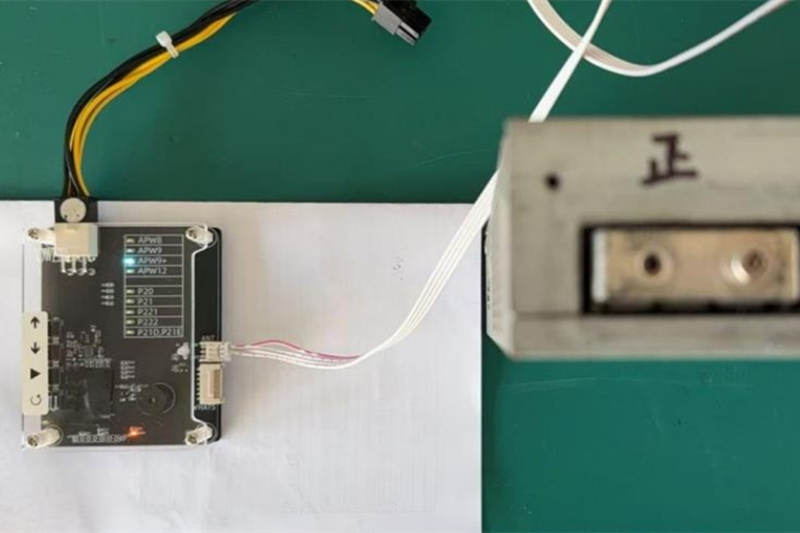
Connection diagram with APW series PSU:
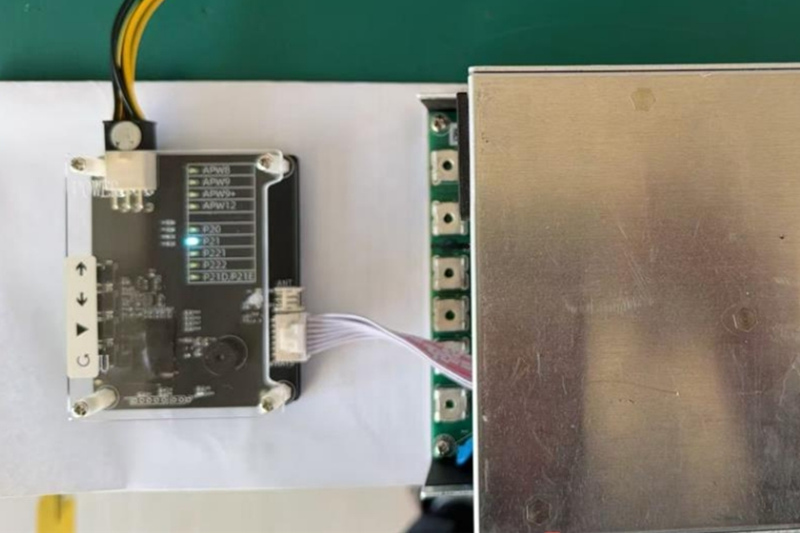
Connection diagram with Whatsminer series PSU:
When testing and waking up the PSU, please be careful to avoid equipment short circuits and ensure electrical safety.

Previous
HashBoard EEPROM Edit Line User Guide
Read More



